Export
Export a PDF with each build on its own page
A PDF can’t play animations, but it can show every step. Export a page for each stage of a slide’s builds, or slides with their notes, or handouts.
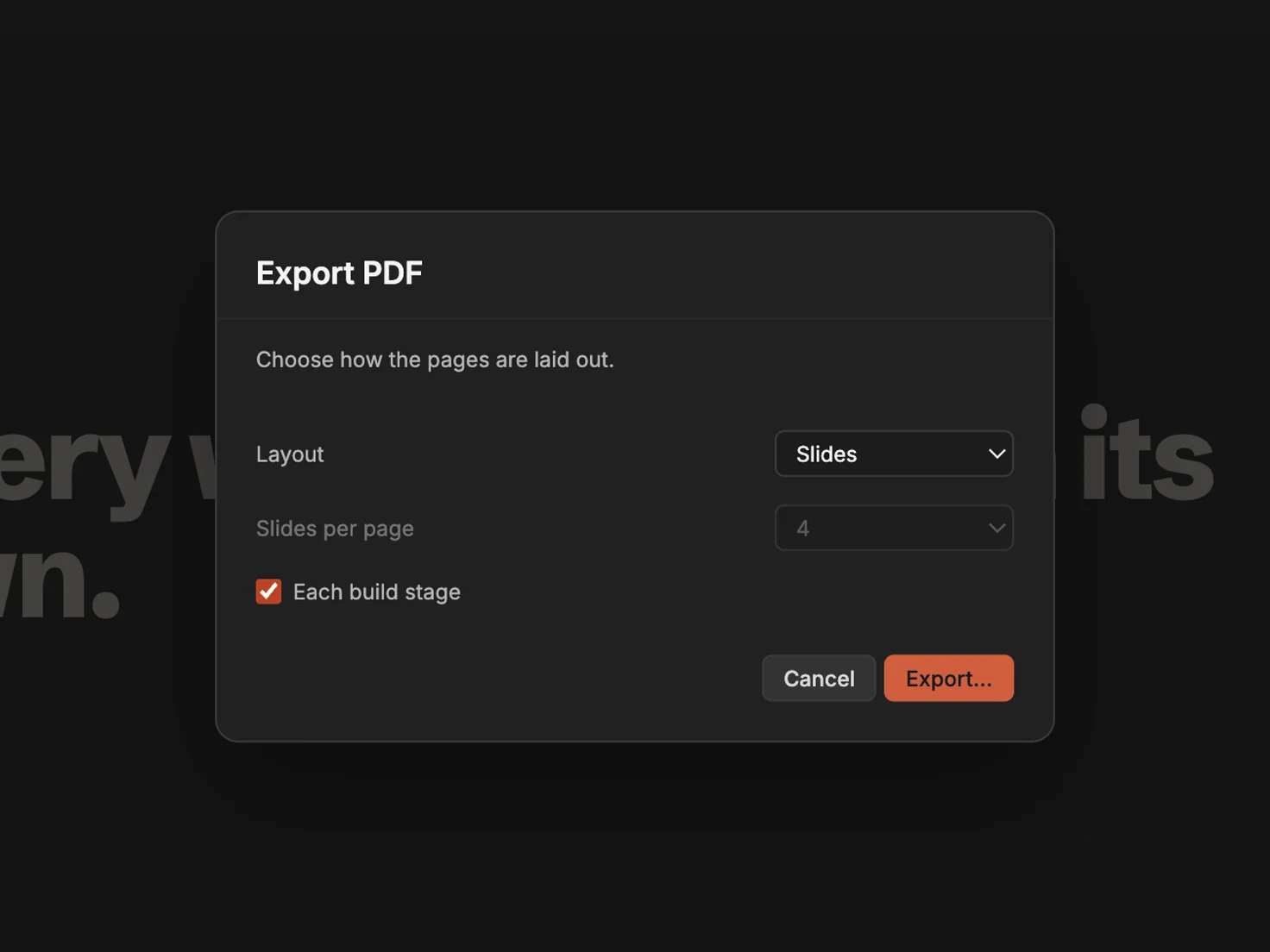
When a slide brings its points in one at a time, a PDF of the finished slide shows them all at once. With Each build stage, the PDF gets a page for the slide as it starts and another as each build finishes, so a reader can step through it as your audience did.
Export the PDF
- Choose File › Export To › PDF….
- Under Layout, keep Slides for one slide a page.
- Select Each build stage.
- Click Export…, choose where to save the PDF, and click Export.
Without Each build stage, each slide prints once, as its builds leave it. When no slide has builds, the option is unavailable.
Notes and handouts
Layout also offers:
- Slides with notes: each slide above its presenter notes, on a portrait page.
- Handouts: several slides on each portrait page. Choose 2, 3, 4 or 6 under Slides per page.
The dialog remembers your choices until you quit MarkdownPoint.
Download the finished presentation (ZIP)
Unzip it, then open the folder inside in MarkdownPoint.
Written for MarkdownPoint 0.8.2. On Windows, press Ctrl for ⌘ and Alt for ⌥.