Export
Turn a presentation into a 4K video
Export a presentation as an MP4 that plays its slides, builds, motion and sound by itself, in 4K, 1080p or 720p.
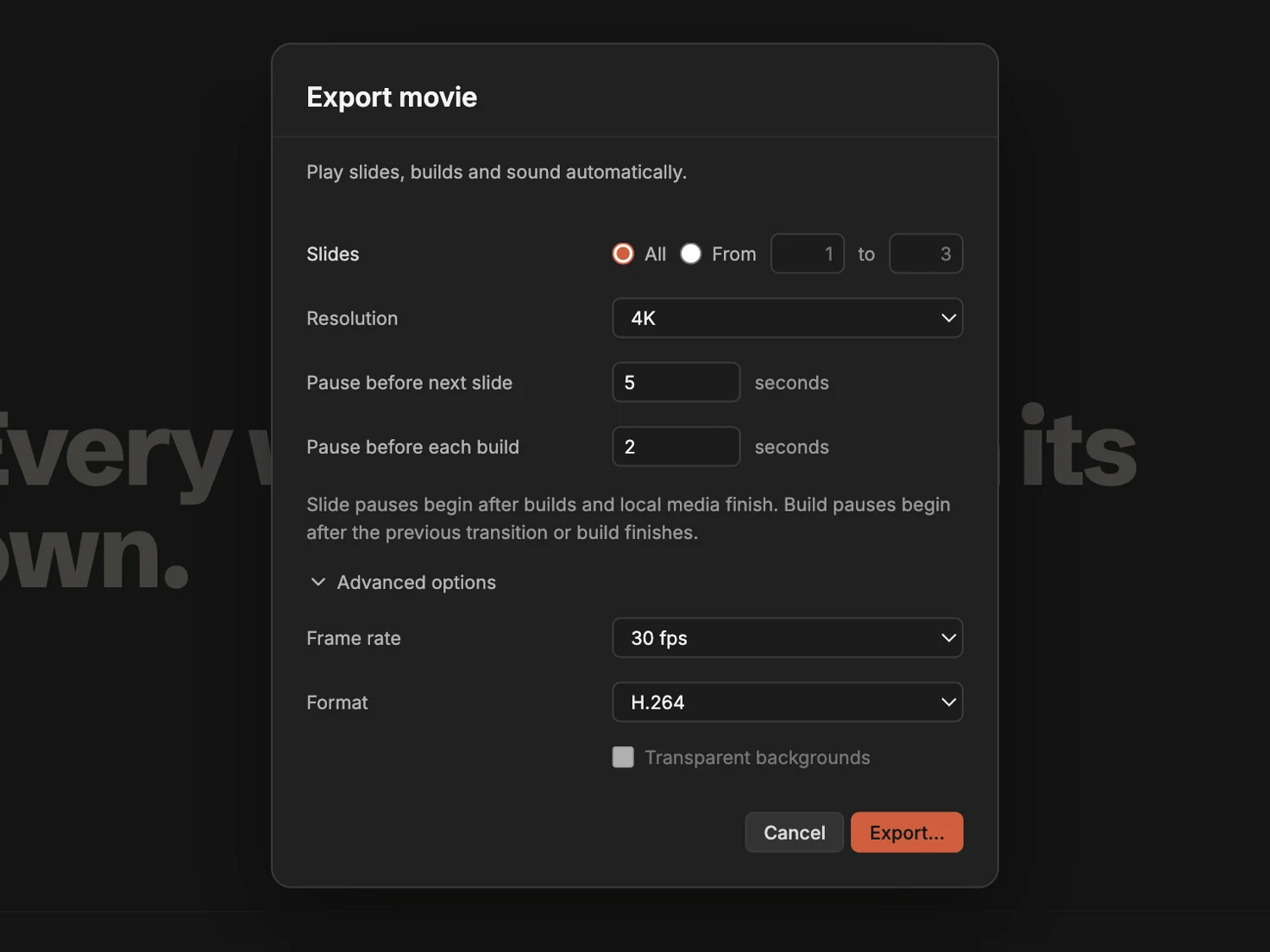
A movie plays the presentation as you would present it: every slide, build, transition and motion graphic, frame by frame, with its sound. Share it where slides can’t go, such as a video site, a screen in a lobby or a chat.
Export the movie
- Choose File › Export To › Movie…. The Share button in the toolbar has the same command under Export a copy.
- Under Slides, keep All or choose a range with From and to.
- Choose a Resolution: 4K, 1080p or 720p. 4K is 3840 × 2160 on a 16:9 slide.
- Set how long the movie waits: Pause before next slide and Pause before each build, in seconds.
- Click Export…, choose where to save the movie, and click Export.
The movie counts each pause from the moment the slide’s builds, motion and own media finish, so nothing is cut short. Slides marked Skip when presenting or exporting, in the Slide tab, are left out.
Frame rate and format
Open Advanced options to choose:
- Frame rate: 30 fps or 60 fps. 60 fps makes fast motion smoother.
- Format: H.264, an MP4 that plays anywhere, or ProRes 4444, a QuickTime movie for video editors.
- Transparent backgrounds, with ProRes 4444, to lay the slides over other footage in a video editor.
Timing that’s already set
If the presentation plays by itself, its Slide delay and Build delay, in the Playback section of the sidebar’s Presentation tab, fill the two pause fields. A video starts when it appears: with its slide, or when a build brings it in. A web video shows its poster picture instead.
The finished presentation below makes a 15-second movie in 4K with the pauses set to 2 and 1 seconds.
Download the finished presentation (ZIP)
Unzip it, then open the folder inside in MarkdownPoint.
Written for MarkdownPoint 0.8.2. On Windows, press Ctrl for ⌘ and Alt for ⌥.