Agents
Create PowerPoint slides with Claude Code
Ask Claude Code to write a presentation in MarkdownPoint, check and refine every slide, then export an editable PowerPoint file to send anywhere.
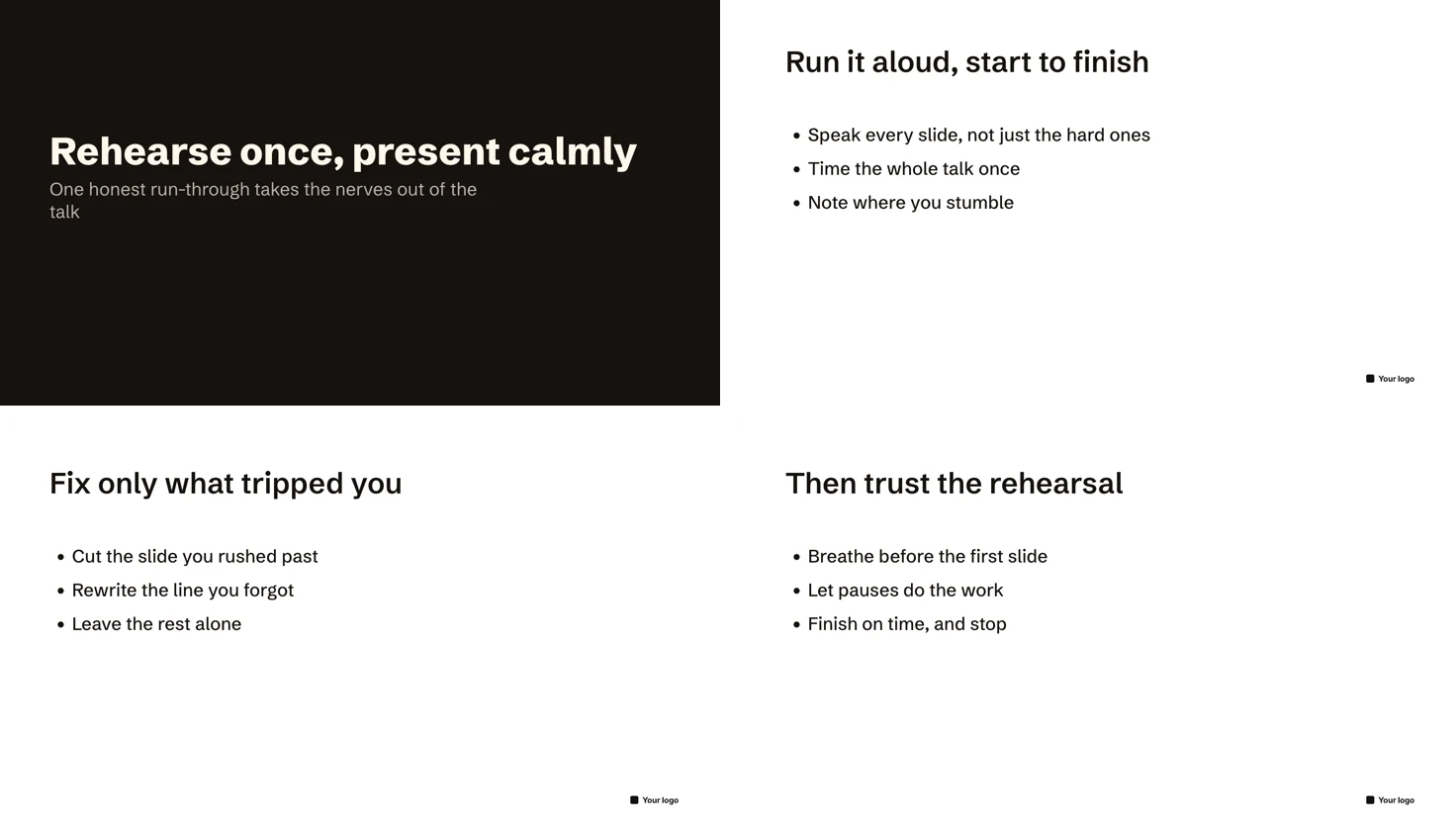
Claude Code can write a whole presentation in MarkdownPoint on a design you choose, look at every slide and fix what doesn’t fit, then export it as a PowerPoint file. You watch each change arrive in the open window. This starts a new presentation: MarkdownPoint doesn’t open existing .pptx files.
Before you start
Open MarkdownPoint and connect Claude Code to it, with the skill or the MCP server, as Connect an AI agent to MarkdownPoint shows.
Ask for the presentation
Tell Claude Code what you want, where to keep it and which design to use:
Create a new MarkdownPoint presentation in my Documents folder called Rehearse, with the Basic design. Make it a four-slide talk titled “Rehearse once, present calmly”: a title slide, then three slides that each have a title and three short points, using the design’s layouts.
Claude Code creates the presentation folder, picks layouts from the design and writes the words. The presentation opens in MarkdownPoint, so you can read along.
Ask it to check its work
An agent writes words without seeing them, so ask it to look:
Render every slide and fix any text that doesn’t fit its frame.
MarkdownPoint warns an agent about text that runs past its frame when it checks the presentation or renders a slide, and a render shows how each slide looks. In the presentation above, the long title first wrapped onto the line below, until Claude Code widened its box to fit it on one line.
Refine it
Keep asking, as you would ask a colleague:
On the second slide, make the bullet points appear one per click.
Claude Code adds a step for each point, as Reveal paragraphs one by one in the Animate tab does. Each change is one step that Edit › Undo takes back, and you can edit the slides yourself at any time.
Export the PowerPoint file
Export it as a PowerPoint file to my Documents folder.
Or choose File › Export To › PowerPoint… yourself. The file is an editable PowerPoint presentation with the slides’ words, layouts and fonts. It leaves out builds and motion, so each slide shows as it ends; present from MarkdownPoint, or export a 4K video, to keep them.
Download the finished presentation (ZIP)
Unzip it, then open the folder inside in MarkdownPoint.
Written for MarkdownPoint 0.8.3. On Windows, press Ctrl for ⌘ and Alt for ⌥.