3D
Describe a 3D scene to the Agent
Ask for a scene in a sentence. The Agent builds the models, lights and motion. Then change what you select with short requests.
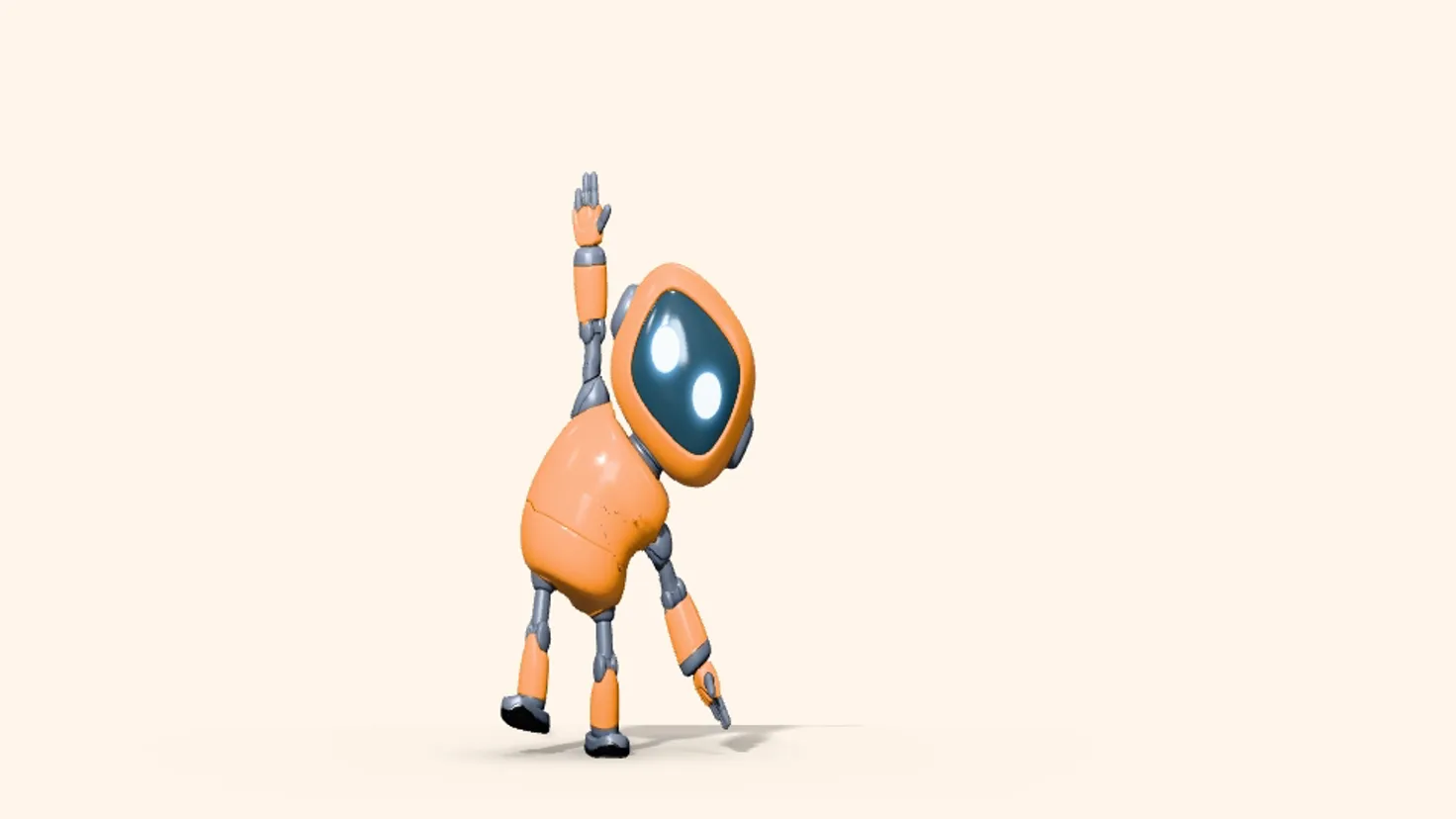
The Agent builds 3D on the slide from what you describe: models, lights, the camera and the way things move. It works with your own key for Anthropic, OpenAI or Google Gemini.
Turn on the Agent
- Choose Settings… (⌘,) and click AI.
- Under API keys, click Add key for Anthropic, OpenAI or Google Gemini.
- Select AI tools.
- Under Agent, choose a Provider and a Model.
For models Meshy makes, add a Meshy key in the same list.
Choose View › Agent (⌃⌘I) to open the Agent beside the slides. On Windows, press Alt+C.
Describe the result
Say what the slide should show, not how to build it. Name the things in the scene, the light and the motion.
These requests ran with Anthropic’s Claude Opus 5.5 and nothing selected. The pictures show what each run made. The Agent won’t make exactly the same thing twice.
A character
On a new slide of the 3D theme:
Make a small orange robot with big round eyes. Stand it on the floor at the left, then have it walk to the middle, notice the camera and wave.
The Agent had Meshy make and rig the robot, then timed its walk and wave in a step. It asked before spending Meshy’s credits.

A prop
On a new slide of the 3D theme:
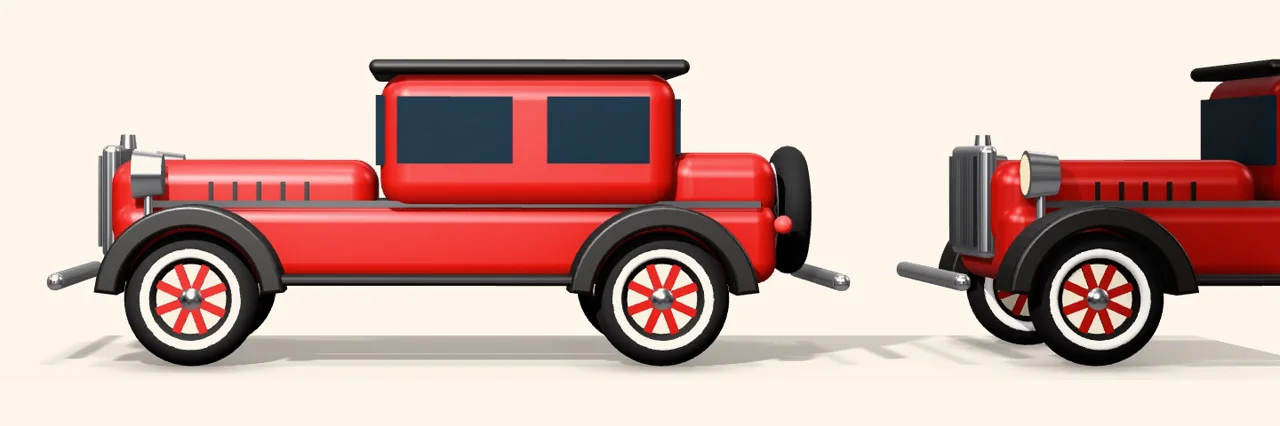
Put a red vintage car on the right, off the slide. Have it drive in and brake to a stop in the middle of the floor.
The Agent built the car without Meshy.
The light
On the robot’s slide:
Light this like late afternoon: a warm low sun from the left, a soft cool fill from the right, long soft shadows.
The Agent turned the key light into a low, warm sun and added a fill light.

The camera
On the robot’s slide:
Have the camera drift slowly in toward the robot as the slide appears.
The camera starts a little way off and eases in toward the robot as the slide appears. It slows to a stop on the view the editor shows and stays there. The drift plays in Present and in movies.
To change how long it takes, select the camera and set Duration under Drift in the inspector. Remove drift keeps the camera still on that view.
Change what you select
Select a model, a light or the camera and press ⌘↩. Ask Agent opens on the canvas. Ask for one change at a time. Look at the result before the next.
With the robot selected:
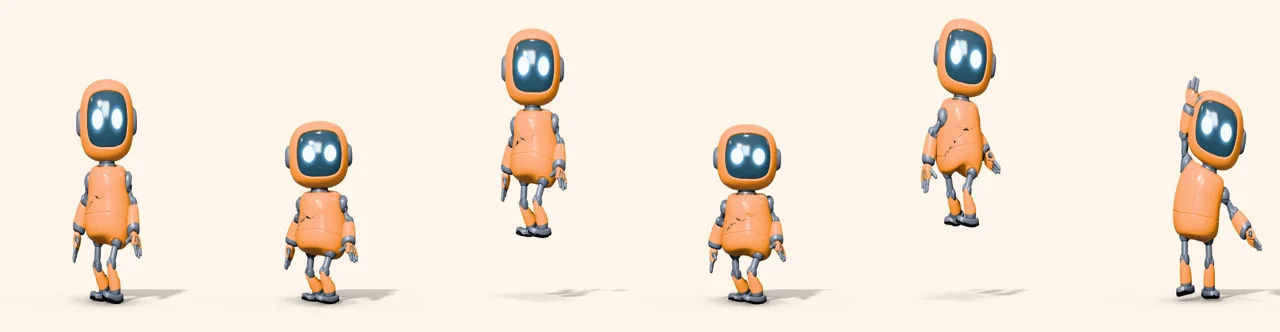
Make it hop twice with excitement before it waves.
Before Meshy spends credits
When the Agent wants Meshy to make a model, it asks first. The card shows about how many credits it costs. Its buttons are Allow and Don’t allow.
Undo a change
Each change the Agent makes is an ordinary step in Edit › Undo. The Undo button in the chat undoes everything one request changed, as long as those are still your newest edits.
What the Agent can’t do
It can’t bring in a model file from your computer. Insert those with Insert › 3D Model…, then ask the Agent to work with them.
Written for the next MarkdownPoint release. On Windows, press Ctrl for ⌘ and Alt for ⌥.